Tribes in Today’s Marketing
April 2010
By The Architect
What is a tribe?
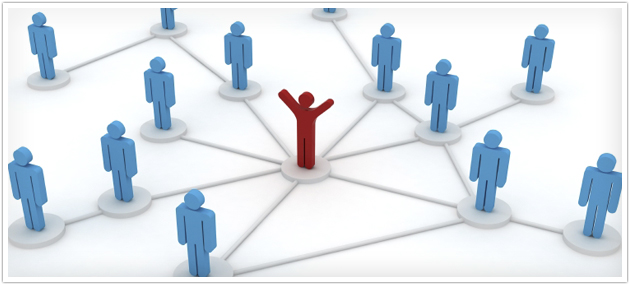
Simply put, a tribe is a group of people that connect around a common goal.
Tribes can exist anywhere and can be based upon any shared interest, no matter how specific. In fact, you are most likely a member of a tribe or even multiple tribes. You may even lead one.
Behind every major movement and successful marketing engine there is a tribe.
Behind every major movement and successful marketing engine there is a tribe. Barack Obama leads one in which he can raise millions of dollars in a single day. Steve Jobs leads a tribe comprised of a cult-like following of brand evangelists who hang on his every word during his two-hour product launch event and then go out and do Apple’s marketing for them.
Tribes are not always large. Some don’t want to be big. In fact, many are exclusive.
The common element around which most tribes form is actually quite narrowly-defined. These tribes are not just for golf, but for those afflicted with a natural slice in their swing; not just for personal finance, but for those obsessed with maximizing the energy efficiency of their homes; not just for shoes, but for those infatuated with handcrafted Italian leather stilettos.
Balloon artists, amateur photographers, collectors of exotic southwestern jewelry, Ford Mustang enthusiasts, avid Mac users, city managers engaged in innovative economic development – all of these are tribes that gather. For their members, their interest is an intrinsic part of their identity, and their association with their peers is a point of pride.
Anytime people make connections based on a shared passion, similarities in background or a common need for solutions to improve their lives, a tribe is born.
What’s changed

Tribes have always been around. Before the days of the Web, smartphones and Facebook, communities would form based on commonalities and gather face-to-face. Naturally, these tribes were geographically-based, and their numbers were fewer and limited to the most popular interests.
Today’s tribes are different. The advent of the Information Age tore down geographical barriers by introducing platforms of persistent conversation and information sharing. Online message boards, which have been around for decades, overcame the limitations of locality and allowed for a tidal wave of tribes to be formed – not just big tribes, but ones that were small and highly specialized. People now had the tools they needed to find others with a shared passion and make an instant connection in the absence of physical proximity.
As technology continued to evolve, the Web provided a more robust platform for these communities to take form. Smarter and more relevant searching allowed people to find outlets for their passions through 200 million websites. Website creation tools became more accessible, allowing those with limited technical know-how to create online hubs where their tribes could gather. Add to this new tools for scheduling, collaboration, coordination and real-time communication as well as wifi and the mobile Web, and you have fertile ground for tribes to flourish around any and every common goal and interest.
New types of tribes
In the past few years, the evolution of social media has allowed people to connect in ways that are not based solely on common interests but also on commonality in relationships and geography.
When communities form around who their members are, where they live and how they relate to each other, a new dynamic is introduced. The tribe concept becomes even more powerful and pervasive as people forge ties around commonplace goals in their daily lives.
For geographically-based tribes, the day-to-day problems of life – from finding the best deli in town to getting a recommendation for a good mechanic to obtaining a reference for a trustworthy electrician – are solved through the formation of tribes based on members’ inherent commonalities.
Tribes can form around many different types of relationships. Whether it’s families bound together in a social network or colleagues that develop a web of connections on LinkedIn, the common thread that ties all these communities together is the relationship of their members to one another.
in a world ruled by tribes, word-of-mouth is king Communication travels quickly through these organic networks, in most cases crossing over to other networks. Something as seemingly simple as a recommendation for TurboTax software during tax season spreads virally via word-of-mouth advertising from tribe to tribe, as members seek to solve problems in ways that enhance their own lives, the lives of others they care about and the environments in which they live.
Thus, in a world ruled by tribes, word-of-mouth is king. Trust is not only essential; it is required.
The old system of marketing
Before the economy was overtaken by tribes of highly interconnected and informed consumers, success in marketing was achieved by the companies with the largest budgets and the greatest capacities to pummel the public into purchasing their brands.
If you were selling a product 10 years ago, you would have run expensive advertising campaigns based on interruption, hitting the consumer over the head with your message as forcefully and as often as possible. The objectives driving this type of intellectual spamming were to raise brand awareness, create demand for more product, obtain wider distribution and ultimately apply those profits to more ads in order to fuel this vicious cycle. In what’s left of mass media, this wasteful practice still goes on.

Arby’s invested more than $85 million interrupting everyone with an oven mitt to sell sandwiches. Progressive and Geico spend a fortune flashing their brands in any and all media and markets. Nike poured hundreds of millions into endorsements and marketing to sell more Tiger Woods-branded products simply because they could command higher prices.
National brands aren’t the only ones guilty of still marketing by interruption and spamming. From law firms to home builders to car dealerships, local businesses in every town dump truckloads of money into carpet bombing the public with ads in local magazines, newspapers and television, shouting their claims that they’re the best, they’ve discounted everything yet again, they have too much inventory and everything must go.
Marketing in a tribe-driven world
Today, trust rules the marketplace. People have many more choices and much less time than ever before. As a result, they invest their time carefully in their passions, in the issues that count and in the things that make a difference in their lives. They have no use for or trust in traditional advertising. Instead, they belong to a tribe, and they follow the movement of its members and leaders.
These tribes are formed and move with or without you. Today’s successful marketers bow to the tribe, reforming how they do business, how they develop products and how they grow accordingly.
The power and influence you command through the trust you earn from the tribe is unrivaled by any form of advertising. Your membership in the tribe is earned through trust and trust alone. Trust gives you permission to talk about your ideas as well as what you are doing to improve the lives of its members. When you are active and demonstrate honest intentions and selfless motives, you are promoted by the tribe’s leaders. The power and influence you command through the trust you earn from the tribe is unrivaled by any form of advertising. In this way, the tribe is your marketplace.
Getting there
Many companies, particularly local businesses, have a hard time mapping the connection between tribes and their bottom line. In fact, most are challenged to identify where tribes exist or, if they must, start and lead a new tribe.
The fact is, any successful act of business creates a solution for a problem or improves people’s lives in some way. Underneath that solution are people who are already talking about all the issues surrounding it every day.
Your focus in growing your business should be to identify your tribe and lead it.
Weber doesn’t just sell grills; they lead a tribe of grilling enthusiasts. Jeep doesn’t just sell cars and accessories; they lead a tribe of off-roading die-hards.
Gary Vaynerchuk doesn’t just market wine; he leads a tribe of a million wine aficionados. Fame Foundry doesn’t just sell marketing and website design; they lead a tribe of entrepreneurs and decision-makers whose passions are focused on business growth.
Your passion for your business is your license to lead. You don’t need to be a national brand to be a tribe leader. Your local dentist doesn’t just sell her services; she leads a local tribe of people that care about healthy teeth. She may have only 25 true fans, but when they tweet or post their endorsement for her practice on Facebook, multiplying their actions by the average of 150 connections per fan now gives her instantaneous, powerful and unbiased word-of-mouth advertising to 3,750 people.
Eliza Metz applies her life’s passion to leading a massive tribe of yarncrafting fanatics who follow her on her blog, on Plurk, on Facebook and on her podcast. She has earned the trust of its members, who have elevated her to a position of leadership. As a result, when she says she likes something, they listen and move, which translates to sales immediately. Eliza has never bought one piece of advertising; instead, she leads.
Your passion for your business is your license to lead. But you can’t just log in, plant your flag and begin selling your products or services. The tribe will banish you right away. The fundamentals of
trustcasting prevail in every facet of business growth, and this is no different in leading tribes.
In part two of this series, we’ll go beyond the foundational understanding of tribes and cover the steps to identifying, becoming a member of and leading the tribes that are relevant to your business and your bottom line in today’s marketplace.
Behind every superstar website there is an architect, scrutinizing every single detail, cutting through the nonsense, and challenging every aspect to craft a masterpiece that gets noticed and gets results.