We are the digital agency
crafting brand experiences
for the modern audience.
We are Fame Foundry.

See our work. Read the Fame Foundry magazine.

We love our clients.

Fame Foundry seeks out bold brands that wish to engage their public in sincere, evocative ways.


WorkWeb DesignSportsEvents

Platforms for racing in the 21st century.

Fame Foundry puts the racing experience in front of millions of fans, steering motorsports to the modern age.

“Fame Foundry created something never seen before, allowing members to interact in new ways and providing them a central location to call their own. It also provides more value to our sponsors than we have ever had before.”

—Ryan Newman

Technology on the track.

Providing more than just web software, our management systems enhance and reinforce a variety of services by different racing organizations which work to evolve the speed, efficiency, and safety measures, aiding their process from lab to checkered flag.

WorkWeb DesignRetail

Setting the pace across 44 states.

With over 1100 locations, thousands of products, and millions of transactions, Shoe Show creates a substantial retail footprint in shoe sales.

The sole of superior choice.

With over 1100 locations, thousands of products, and millions of transactions, Shoe Show creates a substantial retail footprint in shoe sales.

WorkWeb DesignRetail

The contemporary online pharmacy.

Medichest sets a new standard, bringing the boutique experience to the drug store.

Integrated & Automated Marketing System

All the extensive opportunities for public engagement are made easily definable and effortlessly automated.

Scheduled promotions, sales, and campaigns, all precisely targeted for specific demographics within the whole of the Medichest audience.

WorkWeb DesignSocial

Home Design & Decor Magazine offers readers superior content on designer home trends on any device.


  • By selectively curating the very best from their individual markets, each localized catalog comes to exhibit the trending, pertinent visual flavors specific to each region.


  • Beside the swaths of inspirational home photography spreads, Home Design & Decor provides exhaustive articles and advice by proven professionals in home design.


  • The art of home ingenuity always dances between the timeless and the experimental. The very best in these intersecting principles offer consistent sources of modern innovation.

WorkWeb DesignSocial

  • Post a need on behalf of yourself, a family member or your community group, whether you need volunteers or funds to support your cause.


  • Search by location, expertise and date, and connect with people in your very own community who need your time and talents.


  • Start your own Neighborhood or Group Page and create a virtual hub where you can connect and converse about the things that matter most to you.

June 2021
Noted By Joe Bauldoff

The Making and Maintenance of our Open Source Infrastructure

In this video, Nadia Eghbal, author of “Working in Public”, discusses the potential of open source developer communities, and looks for ways to reframe the significance of software stewardship in light of how the march of time constantly and inevitably works to pull these valuable resources back into entropy and obsolescence. Presented by the Long Now Foundation.
Watch on YouTube

587 "Jobs" and the art of timing

587 "Jobs" and the art of timing

775 Boost email open rates by 152 percent

Use your customers’ behavior to your advantage.

774 Feelings are viral

Feelings are the key to fueling likes, comments and shares.

February 2014
By Jeremy Girard

Five Seductive Pick-Up Lines That Leave Your Visitors Wanting More

Create a powerful first impression that grabs their attention, draws them in and keeps them coming back.
Read the article

Five Seductive Pick-Up Lines That Leave Your Visitors Wanting More

For many of your website’s visitors, the page that will greet them when they first arrive on the site is your homepage – and the section of your homepage that is likely to draw their attention upon arrival is the billboard.

Similar to roadside billboards that are meant to attract the attention of passing motorists and promote some company or service, homepage billboards are meant to grab the attention of a website visitor, welcome them to the site and convey some important message to them, and then send them forward to other content or actions within that site.

Take a look at just about any website today and you will see this “billboard” area. It is typically presented as a large, visually rich display that features striking imagery and/or powerful typography, important messages, and a subsequent call-to-action. Additionally, these messages can also be animated in some way to add an element of motion to the site and to allow you to use the billboard to display more than on message on your homepage.

While the purpose of the billboard is nearly identical on all websites, the way this section is executed varies from site to site. In this article, we will take a look at a few popular approaches to the website billboard.

1. Allow me to introduce myself.

Probably the most common billboard approach is what I call the “here’s who we are and what we do” technique. In these examples, the billboard message is all about your company.

Similar to an elevator pitch, this billboard approach quickly introduces your company and summarizes what you do. With attention spans online being as short as they are (many experts say that website visitors will scan a page and make a decision of what to do next, including leaving the site altogether, in as little as 3 seconds), this approach can be an effective way to get your message or value proposition across in a succinct fashion. If that message resonates with your visitors, you then have an opportunity to continue the conversation by driving them deeper into the website to learn more about what you have teased in the billboard message. You could provide links to read more about your services, products, or even just the company or organization itself.

A few examples of the “here’s who we are and what we do” method are below:

Studio1 Architects

This site uses very large images of the firm’s work (the images animate and multiple photos fade in and out over time), coupled with an opening message that explains what they do and a link to view their portfolio: http://studio1architects.com

Studio

AF Technology Solutions

This site’s concise billboard message summarizes what the company does (business and technology solutions) and who their audience is (small to medium businesses) and includes a link to learn more about their services: http://af-techsolutions.com

AF

Raw Seafoods

This company uses their billboard to highlight their value proposition and then link visitors over to a page detailing what sets their products and services apart from their competition: http://www.rawseafoods.com

Raw2

2. What can I do for you?

While the “here’s who we are and what we do” approach is the most common way to utilize a billboard’s messaging, there is a downside to that tactic – it focuses solely on the company or organization and not on the audience they serve. As a variation to that approach, you can consider the “how may we help you?” method.

With the “how may we help you?” technique, the messaging focuses on the website’s audience, not the company that owns the website. Instead of being about that company, their products, or services, it instead looks to its users and illustrates about how that company can help them. The focus turns from “us” to “you”.

A few examples of the “how may we help you?” variation are below:

2-1-1 RI

This not-for-profit site run by the United Way does not use any imagery in its billboard. It instead turns to bold colors and large typography to display its message – “Find Help Now”. The billboard does not explain what the organization does (that content is below the billboard). Instead, the focus here is on the user and the action is all about getting them the help they need by answering two simple questions (what do you need and where do you need it) or by clicking on a popular category: http://www.211ri.org

United

RIHCA

This site uses animated photos alongside a large message to attract their audience’s attention and address their main need – “Do you need healthcare?” The call to action is a simple and obvious button to “Get Started”: http://www.rihca.org

RIHCA

3. Tell me more about yourself.

Similar to the “how may we help you?” method, the “tell us who you are” approach speaks directly to your audience, but it does so in such a way so that it can ask that audience a specific question about who that audience is. The best example of this is a website that requires visitors to self-segment themselves.

Most websites have more than one audience and oftentimes there is different content on your website that is intended for these specific audiences. Having visitors “choose their path” by self-segmenting early on is one way you can drive them to content that is relevant for them, without worrying that they will have to get through pages that may not be necessary for them to see.

A few examples of self-segmentation on websites are below:

Traveler Beer Company

Any beer or liquor company will present this “Are You 21+?” message on their opening page to require that visitors confirm that they are of drinking age before entering the site. This is a form of self-segmentation: http://travelerbeer.com

Traveler

Cosmed Group

This company knows that their customers fall into one of two groups – those looking for the pasteurization services that they offer or those who want to buy the equipment to do it themselves. Therefore, they present these two paths (looking for services vs. looking for products) in their billboard so that visitors can self-segment based on their needs: http://cosmedgroup.com

Cosmed

4. Let’s get personal.

Taking self-segmentation a step further are sites that already know who you are. These are sites that you subscribe to or have a user account on. Based on your preference or previous activity on the site, the content that is displayed is deemed to be most relevant to your needs.

The most prominent example of this method is Amazon.com. Visit the Amazon homepage and, as long as you are logged in, the products that you see will be based on your previous browsing or purchase history.

Another good example would be eBay. That site will show you results from searches you have conducted in the past in an attempt to present you with new auction items that you would be interested in.

Many news sites work in this way as well. Content that is most relevant for you, based on your preferences or geographic location, will be presented to you up front to try to best tailor your site experience to you.

One note here is that in these examples, Amazon, eBay, and the typical news site, do not present this information in a true, billboard-style fashion - but the same principal of filtering content based on a users’ preference or past behaviors on the site could also be applied to a billboard area.

5. What’s new?

The final approach we will look at in this article is the “latest news and announcements” method. This approach ensures that your site’s billboard is continually updated with fresh content. It displays current promotions, latest news, or important announcements (and usually a link to read more about that content) instead of general marketing messages.
The value of this approach is in the aforementioned freshness it brings to your content and your display. The downside is that it requires you to be publishing that new content on a pretty regular basis and you need to make a commitment to doing so.

If your organization is already producing relevant press releases or running promotions, then this method may be a great fit for you.

A few examples of this method are below:

Fame Foundry

This approach is exactly what we do on our homepage. Each month, our latest articles are highlighted in our animated billboard.

FF

Honey Dew Donuts

Current promotions and seasonal menu items are featured in this site’s animated billboard. Those messages align with other marketing the company is doing - including print, radio, and television, to ensure that the latest content is always presented front and center: http://honeydewdonuts.com

Honeydew

Marvel

Upcoming films, new comics, and other announcements are the focus of Marvel’s homepage billboard: http://marvel.com

Marvel

Mix and match

These billboard techniques are not mutually exclusive – you can mix and match them as you see fit. For instance, you may highlight a current promotion or announcement in your billboard, but then allow it to animate to a second and third and fourth, etc. message that is more generic – like the “here’s who we are and what we do” approach.

With so much space on your homepage being given over to the billboard’s display and understanding that the use of striking images, large typography, and animated messages will undoubtedly draw the focus of your visitors, it is important to make sure that the approach you choose for your billboard is the right choice for your business. Consult with your web design and development team to determine which approach, or which combination of different approaches, will best fit your overall goals and needs.


February 2014
By Jeremy Girard

Deal-Breakers and Dead-Ends: Six Turn-Offs That Alienate Website Visitors

These glaring missteps will repel a potential new customer faster than a cheesy pick-up line and cheap cologne.
Read the article

Deal-Breakers and Dead-Ends: Six Turn-Offs That Alienate Website Visitors

Without question, the task of driving new visitors to your company’s website is not easy. Success requires serious strategic planning and a significant investment of resources, from content marketing and social media promotion to search engine advertising and offline marketing initiatives. So once those hard-won visitors arrive, why in the world would you immediately turn them away? Well, you certainly wouldn’t do so intentionally, but there may be deal-breakers and dead-ends lurking within your site that will repel a potential new customer faster than a cheesy pick-up line and cheap cologne. Here are six mood-killers that you must avoid if you hope to woo new customers, entice them to engage with your site and provide such a positive experience that they will tell all their friends what a great catch you are:

1. Download our app

If you’ve invested in creating an app for your brand, naturally you want to bring this to the attention of mobile visitors and encourage them to download it. But it’s all too easy to cross the line between promoting your app and perturbing your customer. Recently, I was in the process of working on an email marketing campaign using the popular service Constant Contact. I found myself with a spare moment between meetings, so I grabbed my iPad and set out to make a few quick edits to my draft. When I logged into the site and selected the email I wanted to edit, I was greeted with a message asking me if I wanted to download “QuickView”, their app for iPad and iPhone. ConstantContact But I was in a rush and had no interest in downloading and figuring out how to use their app to accomplish the simple task of making changes to an email I had already begun crafting. So I clicked “No, thanks” and was then returned to my list of emails. Once again, I clicked the email that I wanted to edit – and once again I was greeted with the prompt to download the app. I was stuck in a loop of non-productivity. Unless I installed the app, I could not complete my desired action on my iPad. By any standard, this was a very poor user experience. Unfortunately, this is not an unusual scenario. If you browse the Web on your mobile device with regularity, you’ve undoubtedly encountered this type of “Download our app!” a number of times. However, the problem arises when downloading an app is the only viable way to interface with a site via a mobile device and the objective of providing a good user experience is sacrificed in the interest of securing a permanent spot in the user’s pocket. Instead of trying to force your app on mobile visitors, take a more subtle approach. For example, displaying a small banner at the top of your site’s mobile view is a great way to make users aware of your app without disrupting their workflow or compromising the quality of their experience. Never, ever require your visitors to download an app to use your site; rather show them the respect of allowing them to interact with your brand in the way that they most prefer, whether that’s through a browser or through your app.

2. Give us your digits

We get it. When a new visitor comes to your website, you want to capture as much information about them as quickly as possible so that you can continue your engagement with them long after they’ve moved on to other corners of the Web. With this motivation in mind, there are many sites that immediately greet new visitors with a pop-up-style message. Instead of seeing the expected home page content, the user is presented with a request to complete a form to provide their contact information in exchange for a welcome discount offer or to follow the company on Facebook for future updates and promotions. Either way, these pop-ups are very disruptive to the user experience and provide obstacles that only make it more difficult for the visitor to accomplish what they originally came to the site to do. Invision Think about this experience for a moment. Yes, it would be ideal if every visitor to your site would willingly complete a short form that gives you invaluable data. But in reality, no one comes to your site for the express purpose of helping you market to them, so by giving such a message top priority, you are telling them that your needs are more important than theirs. That’s a pretty poor way to start the conversation. This phenomenon is so pervasive that there is even an entire website – tabcloseddidntread.com – dedicated to these types of interruptive messages. While the writing on the site is a bit snarky, the point it makes is a valid one: these messages create a poor user experience from the outset. As a result, any value you might gain in collecting user data is quickly negated if that user has no interest in continuing their engagement with you because you’ve created such a negative first encounter. Instead of leading off the conversation with your survey request, Facebook follow prompt or current promotion, simply allow your visitors to dive right into the site to find the information they’re seeking or complete their desired task. Keep your mailing list sign-up and Facebook links in your site’s universal framework, and if you do your job in creating a positive experience for them, your visitors will willingly allow you to become a presence in their email inbox or their Facebook news feed all on their own.

3. One-size-fits-all framework

Today’s website visitors are accessing our sites on a wide ranging variety of devices with a myriad of different screen sizes, and yet, many sites are still built with the “desktop-only” mindset of years ago. This is a major strike for users on mobile devices who expect more from their experience than simply seeing the desktop site shrunk down to display on their small screen, with text that’s illegibly tiny and links that are nearly impossible to press. The Web is no longer a one-size-fits-all world. That being said, while one “size” may not fit all, you can still have one site that will work seamlessly on a wide variety of screen sizes and devices. By employing responsive design, you can build a singular jack-of-all-trades workhorse that dynamically reflows its layout based on the user’s screen size. The image below illustrates the difference between how desktop-only layout (i.e., the “do nothing” approach) is rendered on a phone’s browser versus a site that’s optimized for small screens with a responsive approach. Envision Read more: Website Design for a Multi-Device World

4. Vexing video

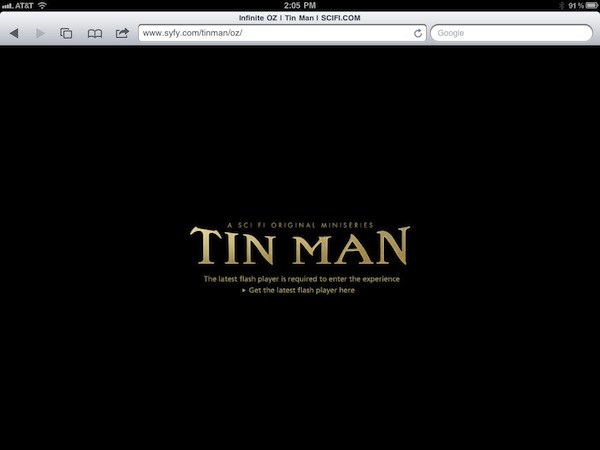
Video can be a powerful way to convey information, but if that video fails, then your message is lost. There are a few ways that video can provide a stumbling block to engagement with your site visitors. First and foremost, not all video formats are compatible with all devices. For instance, Flash videos will not play on iPhones and iPads, which means that instead of seeing your excellent video content, every user on an iOS device will get a message that says something to the effect of “This video cannot be shown on your device.” Other visitors may not want to download a large video due to limited bandwidth or data download concerns, and as a result, your content is not able to achieve the effect you desire. In still other cases, your visitors may be able to download and view a video but may not be able to use audio – perhaps because they are in a public area, such as an office or store. Video without audio is fairly anti-climactic, so if the only way they can consume your message is by watching and listening, then you will leave these visitors cold. The moral of the story is this: If you are going to use embedded video on your site, make sure to choose a format that can be played on all devices and to reinforce its key message and content in other areas for visitors who may not want to watch or listen to a video.

5. The mystery of the disappearing navigation

Your website’s navigation structure is a critical component of the user experience, and the links it contains are the gateway to the information your visitors are seeking. For sites with lots of pages and a deep sitemap, a common design schema is to use drop-down menus that show subpages contained underneath the site’s top-level navigation choices. These drop-down menus are typically powered by Javascript. But what happens if the user has disabled Javascript in their browser or if that script fails to load for some reason? When this happens, your navigation menus may never be shown, leaving visitors stranded with no way to easily maneuver through your site. Failure to load a script is not the only way that navigation suddenly goes missing. Some sites with very elaborate navigation options for the desktop version eliminate the bulk of those options for mobile devices. This can create a dead-end for users who are familiar with the desktop version and are left searching aimlessly for links they will never find. Instead of eliminating links for smaller screens, find ways to present the same content in a way that’s better suited to the device’s display. Additionally, make sure that your site’s navigation has a fallback option should a script fail to load or something else unexpected happens.

6. Page is loading…

Today’s websites have become fat, bloated behemoths. Oversized images and animations, embedded videos and other features have contributed to the substantial size increases we have seen in webpages over the past few years. Bigger pages mean longer load times, which is a major turn-off for visitors who have no lack of other suitors vying for their time and attention online. Better website performance will yield better website results. By optimizing your site’s performance and ensuring that it loads quickly even for visitors with slower connection speeds, you can avoid showing users a half-loaded page and hoping that they will wait around to see the rest. More often than not, that’s a losing gamble, and the visitor you worked so hard to win will turn elsewhere to find a site that will perform according to their expectations.